A misrepresentation suspension means Google's automated systems decided your store looks untrustworthy. It is almost never one product. The fix: make your business identity, policies, prices, and availability consistent across your website, your feed, and Merchant Center, complete identity verification if asked, then request one review after everything is fixed. Reviews take 3 to 7 business days.
This page gives you the exact two-stage audit workflow I use on client accounts, free, with copy links. It covers 70 checks across 10 sections. If your Shopping and Performance Max revenue just went to zero, start here before you touch the Request review button.
What a misrepresentation suspension actually is
Misrepresentation is Google's account-level trust policy. It covers false or unclear business identity, unavailable offers, dishonest pricing, hidden charges, and claims your store cannot back up. Google's policy page for it is support.google.com/merchants/answer/6150127. When Google decides the store as a whole cannot be trusted, it suspends the account, not a product. Every item stops showing on Shopping, the product side of PMax, and free listings at once.
The scale matters because it explains the experience. Google reported suspending 39.2 million advertiser accounts in 2024, more than triple 2023, with most caught by automated systems before serving a single ad, and over 700,000 accounts permanently suspended under its updated misrepresentation policy (source: Google 2024 Ads Safety Report). You were not reviewed by a person. A model scored your store's trust signals and found them inconsistent. Your appeal will largely be scored the same way, which is why "I fixed the thing I think it was" appeals fail and consistency-first appeals pass.
One more mechanic to respect before anything else: you get roughly two review attempts. Google states that if issues are not resolved by the second review, a cool down of one week may begin, the button greys out, and the wait grows with each failure (source: support.google.com/merchants/answer/13585221). Each review takes 3 to 7 business days (source: support.google.com/merchants/answer/13693195). Appeals are not free retries. Treat them like a final exam you sit twice.
The root causes, ranked
Across the client accounts I audit, misrepresentation almost never has one cause. It is a stack of small mismatches. Ranked by how often they show up in my Stage 2 audits, from most to least common:
| Rank | Root cause | Where it shows up | First fix |
|---|---|---|---|
| 1 | Business identity mismatch | Store name, address, email, or phone differ between site, checkout, policies, and Merchant Center | Pick one identity, publish it everywhere, match Merchant Center business info to it |
| 2 | Policy pages missing, conflicting, or hidden | Returns says 14 days, FAQ says 30; shipping page absent; policies not linked in the footer on product pages | One returns page, one shipping page, consistent numbers, footer links on every template |
| 3 | Price and availability mismatch | Feed says $49 in stock, page says $54 or sold out; variant prices shift after selection | Fix feed mapping and sync cadence, enable automatic item updates |
| 4 | Unrealistic claims and fake urgency | Guaranteed results, rapid-result health claims, countdown timers that reset, permanent “sales” | Rewrite to factual claims, remove resetting urgency widgets and fake compare-at pricing |
| 5 | Crawl blocks | Cloudflare or robots.txt blocking Googlebot from products, images, policies, or checkout | Allow Googlebot in bot management and robots.txt, retest with URL Inspection |
| 6 | Thin trust signals | No About page, free-provider support email, no physical address, unverifiable badges | Real About page, domain email, visible address, remove seals you cannot prove |
| 7 | Restricted or sensitive positioning | Supplements, health, or weight-loss stores with disease or guaranteed-outcome language | Separate product risk from claim risk, rewrite claims, exclude genuinely restricted items |
Two notes on reading that table. First, causes 1 and 2 are the reason Google's own guidance for misrepresentation reviews tells merchants to audit website transparency and complete identity verification before requesting a review, including submitting government ID when the Needs attention tab asks for it (source: support.google.com/merchants/answer/13585221). Second, cause 5 is the one high-spend Shopify stores miss most. Your site renders fine for you. Cloudflare is quietly serving Googlebot a challenge page, and to Google an unverifiable store is an untrustworthy store.
Confirm the diagnosis first
Before fixing anything, confirm what you are actually dealing with. Three checks, five minutes:
- Open Merchant Center. An account-level banner naming Misrepresentation, or the same wording in the Needs attention tab, means account suspension. A list of individual disapproved items without the banner is an item-level problem, which is a different, smaller fix.
- Check the suspension email from Google. It states whether you are in a warning period with a deadline or already suspended.
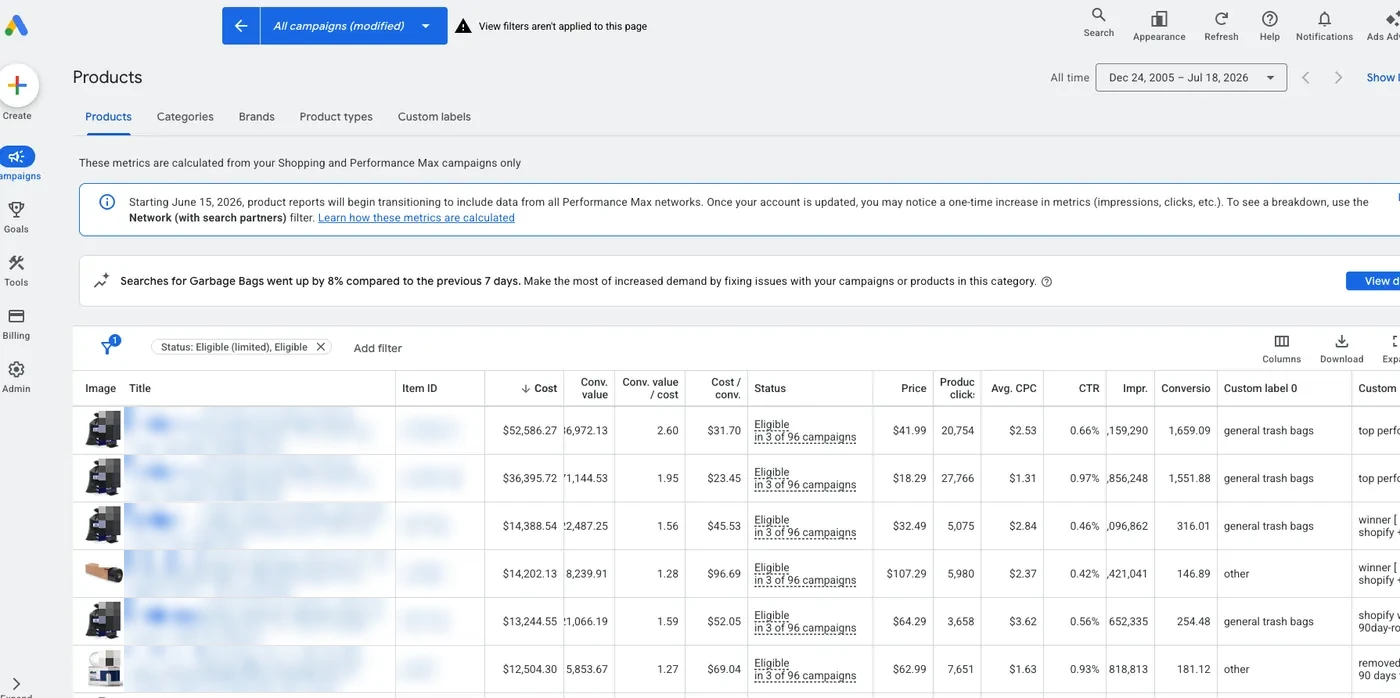
- Open Google Ads. If Shopping campaigns and PMax product revenue dropped to zero on the same day while Search kept spending, the feed is the outage, not your bidding.
If the review button is already greyed out with a date next to it, you are in a cool down. Someone requested reviews before the account was ready. Do not fight it, use the time.
The fix: the exact workflow I run, free
This is the process I use to audit client Merchant Center accounts, both to lift suspensions and to keep clean accounts from getting flagged. It is two prompts and one spreadsheet. You can copy all three and run it yourself today.
Step 1. Run the Stage 1 prompt. Copy the Stage 1 prompt here. Paste it into an AI assistant that can browse the live web (I run it in Claude), fill in your domain, target country, and known issue. It inspects your live site the way a reviewer would: business details, every policy page, footer links across three templates, 12 real product pages, and a first-pass risk scan with priorities. It only records what it can verify on the live site, and it outputs everything as TSV data.
Step 2. Paste the TSV into the sheet. Copy the audit sheet here. Paste the Stage 1 output into the Client Inputs tab. The other tab, Checklist, holds the 70 checks the audit runs against.
Step 3. Download the sheet as .xlsx. File, Download, Microsoft Excel. Stage 2 reads the file directly.
Step 4. Run the Stage 2 prompt with the file attached. Copy the Stage 2 prompt here. It audits your store against all 70 checks across 10 sections: business identity, returns and shipping transparency, checkout and payment, product data and landing page consistency, data quality, website quality signals, policy compliance, feed and account risk, technical enforcement, and review readiness. Every check comes back with a status, a specific finding, a corrective action, and the evidence behind it. Where it needs proof it cannot see, like Merchant Center settings, it names the exact screenshot or export to add.
Step 5. Fix in priority order, then request one review. Clear every Very urgent and High item first. Keep a change log with dates, URLs, and before-and-after screenshots. Complete identity verification if the Needs attention tab requests it. Then, and only then, request a review. One request built on a complete fix beats three built on guesses, because attempt two triggers the cool down clock. For the review itself, step by step, see what happens after you request the review.
Honest scoping: this workflow is genuinely DIY-able, and if you spend under $10,000 a month on Google, run it yourself and keep your money. Above $10,000 a month the calculation flips, because every failed review cycle costs more in paused revenue than help costs, and above $50,000 a month, where I spend most of my time, a single misread finding can mean an extra two weeks dark. That math is next.
What waiting costs at real spend levels
Example numbers, not a client result. Take a store spending $30,000 a month on Google with 60% flowing through PMax and Shopping. At a 3.0 ROAS, the feed carries about $54,000 a month in revenue, roughly $1,800 a day.
Now run the common failure timeline. Day 1: panic appeal, nothing fixed. Days 2 to 8: review fails. Day 9: second appeal after fixing one visible issue. Days 10 to 16: fails again, one-week cool down starts. Day 23: cool down ends. Day 24: third request, this time after real fixes. Days 25 to 31: review passes. That is a month dark, about $54,000 in feed-driven revenue paused, and you spent most of it locked out by your own early appeals.
The disciplined version: days 1 to 4 running the full audit and fixes, day 5 one review request, day 12 reinstated at the slow end of Google's stated 3 to 7 business days. Same suspension, roughly a third of the downtime. The audit does not just raise the pass rate, it compresses the calendar.
How I run this on client accounts
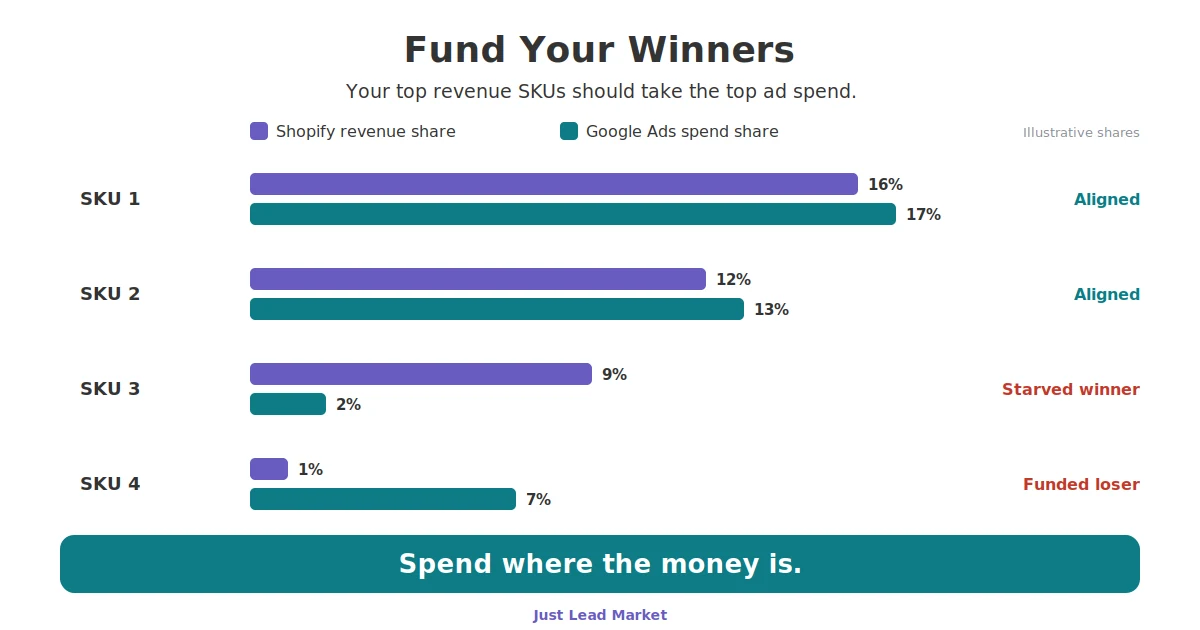
For clients, the two-stage audit above is the intake, not the whole job. Stage 2 flags what needs Merchant Center evidence, so I verify diagnostics, feed sources, shipping settings, and automatic item updates inside the account, cross-read the Google Shopping account against the site, and write the review request from the evidence log. On Google Ads accounts I pair it with a SKU Spend Alignment Audit, because a suspension is also the moment you find out which SKUs your revenue actually depends on. Reinstatement is the floor. The goal is an account that does not get flagged again, which is the same discipline as the checks in our ecommerce CRO checklist: consistent identity, honest pricing, pages that load and match.
Facts
| Field | Value |
|---|---|
| Problem | Google Merchant Center account suspended for misrepresentation |
| Applies to | Shopify and BigCommerce stores running Shopping, Performance Max, or free listings |
| Policy reference | support.google.com/merchants/answer/6150127 |
| Review timeline | 3 to 7 business days per request, per Google |
| Review limit | About two attempts, then a cool down of one week or more that grows with each failure |
| 2024 enforcement scale | 39.2M advertiser accounts suspended; 700K+ permanently suspended under the misrepresentation policy (Google 2024 Ads Safety Report) |
| Free workflow | 2 prompts + 1 sheet, 70 checks across 10 sections, copy links above |
| Built for | Stores spending $10,000+/month (US) or £5,000+/month (UK) on Google Ads |
| Last updated | 2026-07-19 |
Get the account back, then keep it back
One review that passes beats five that fail. If you would rather have this run for you, I do it inside a Just Free Audit: the same two-stage Merchant Center audit on your store, plus the SKU Spend Alignment Audit on the Google Ads account behind it, and you keep the findings either way.
Built for stores spending $10,000+/month (US) or £5,000+/month (UK) on Google Ads.